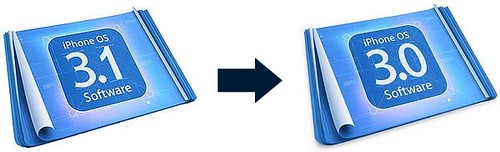
Saurik, the creator of Cydia, has come up with a way to downgrade the iPhone 3GS from firmware 3.1 to firmware 3.0. The method is not for the faint of heart but it can be a life saver if you accidentally upgraded your iPhone 3GS to 3.1. Saurik did a great job at explaining how and why this downgrade works and I invite you to read his article for detailed information. On my part, I will only give you a step by step on how to downgrade from 3.1 to 3.0.
1. First and foremost, you must have saved your ECID file through Cydia. If this was done, you should see the following message at the top of Cydia’s homepage: This iPhone 3G[S] has an ECID SHSH on file.
2. Now we’re going to duplicate the functionality exposed by Apple’s signature server and trick iTunes into thinking it is connected to Apple’s servers. Make sure you have iTunes 9 installed on your computer.
On a Mac, go to /etc/hosts. On a PC, go to C:\Windows\System32\drivers\etc\hosts. Open the file in a text editor and add the following entry at the bottom of the file: 74.208.105.171 gs.apple.com
Save the file and close it.
3. Now we have to put your iPhone into DFU mode. To do this, open iTunes, plug your iPhone and hold down the power and home buttons for 10 seconds, then let go of the power button but continue to hold the home button until iTunes recognizes the device with the message: “iTunes has detected an iPhone in recovery mode. You must restore this iPhone before it can be used with iTunes.” Your iPhone screen should be completely black. If you see an image on your screen, you most likely didn’t perform the previous step correctly. Try again.
4. You can now do a “normal” restore to the 3.0 software. To do this, hold down the Option key (on Mac OS X) or the SHIFT key (Windows) while clicking the Restore button in iTunes. Select the firmware 3.0 (which can be downloaded here).
Theoretically, you should be done with the downgrade. That’s just for the theory though… You’re most likely going to get several errors.
If you get the “unknown error (3002)”, it’s because you probably don’t have your ECID SHSH’s for 3.0 on file with Cydia and it is unfortunately impossible to register your device with Cydia anymore. There is no solution, your iPhone can’t be downgraded from 3.1 to 3.0 and you’re gonna have to wait for a new jailbreak.
If you get the “The iPhone “iPhone” could not be restored. An unknown error occured (1015)” error, then re-do the process all over again. You will get the same error again and it is normal. Ignore the error and jailbreak your iPhone using RedSn0w.
I agree that this is definitely not the easiest way to downgrade your iPhone from firmware 3.1 to firmware 3.0, but you don’t have much choice at this point. If you don’t feel like taking on this project, I suggest you just wait for a proper 3.1 jailbreak, which may take days, weeks, or months. I am very confident that the jailbreak community is getting closer to a 3.1 jailbreak though.
If you have any tips and tricks to make this whole process smoother, or if you have any question, please leave a comment.
UPDATE: If you have an iPhone 3G, you can now downgrade from baseband 05.12.01 to o4.26.08.


73 Comments


I read saurik´s article (very good, recommended read). Does this change somewhat the scenario for 3G owners? AFAIK Apple stopped signing 3.0 IPWSs, and thats why we all need to use the “on file” method saurik mentions.
What about normal JB a OS 3.0 phone? Will iTunes try to sign that one and fail?
Thanks
How do I edit the ” /etc/hosts ” file? =where is it? I type it into the treminal and it says permission denied, even though i am logged in as the root user? Help
The /ect directory is missing from my 10.6 mac pro…
So I’m stuck there unless anyone can offer up where it went or what to do for a fix.
Thanks
Hey,
I forgot to do this part of C:\Windows\System32\drivers\etc\hosts. I am now in a recovery mode loop. Is there anyway to get out of this. My computer makes the sound but doesnt not recognizes it. I used quickpwn but didnt work.
I did the iRecovery -s but it said no usb found.
I am not sure what the hell happened but is there anyway to make it functional again instead of its malfunctioned state?
@Gone Read this http://www.iphonedownloadblog.com/2009/09/09/iphone-stuck-apple-logo/
Well, I tried going into DFU mode many time, finally I uninstalled everything that had to do with apple like uninstalling itunes and other apple applications.
And using ccleaner to delete all the leftover registery files. Restart computer and using ccleaner again just incase it picks up any leftovers and install itunes again. Then restart your computer.
And then plug in your iphone. It then recognized it my iphone.
My iphone was in a recovery mode loop. Everytime I turned it on, it would go into the screen with itunes cd and plug in sign.
Anyway, thanks for the help.
I have a question if i do not have ECID SHSH on file.what should I do and can I still downgrade?
Greetings,
I jailbroke my iphone 3GS 3.0.1. but i have a problem, i’m not saved my ECID file through Cydia
before my iphone in the situation “stuck in apple logo looping”. before that, i replace accidentally the file “mobileinstallation” with others (patch), n i dont have the backup. n now,my iphone wont boot n stuck in apple logo looping. and i cannot restore to 3.0 using saurik method either.
is it restoring the original file will bring back my iphone to “live”? if it yes, can anyone please kindly send/copy to me “mobileinstallation” that is in your iphone 3GS, please i really need it. thanks in a bunch for your help.:) so i can save my ECID file through Cydia, and do the restore thing if this problem happen again..
using iFunbox or iphonebrowser or DiskAid, browse to
/System/Library/PrivateFrameworks/MobileInstallation.framework, copy the file mobileinstallation and send to me. sentosa.hariadi[at]gmail.com
where and how i can find ECID file? help please
i brought my iphone with 3.1 already on it so i didn’t have a chance to put my ECID on file. is there anyway i can downgrade without doing that
hey thanks. Every step im find with, however, when i get to itunes CTRL + Restore, when i search for the firmware i cant see it. Ive got it saved on my desktop, extracted the files..moved them around but i cant get them to open under the ipsw file type? Any suggestions. Or should i just be patient and wait for the new 3.1 jailbreak? hmm curse my bf updating my iphone =[
@Jade – it seems you downloaded the firmware with Safari. Am I wrong? If you downloaded the firmware with Safari, try again with FireFox. It should work.
Sebastien
Hi,
I’ve successfully downgraded my iPhone 3GS. But, there is no network signal. My iPhone 3GS is a factory unlocked set (Singapore). Please help.
Thank you.
Need help with teathering my 3gs. With 3.1 os.
Anyone please?
Hey if you get in the recovery loop or whatever and your computer will not read your iphone do this.
1. Make sure Itunes is open and your iphone is unplugged
2. Do a hard shutdown on your iphone (hold power and home until it goes black)
3. Now hold the home button for about 4 seconds then plug in your iphone while STILL holding the home button, continue to hold it until your computer reads it, itunes should open a box that says waiting for ipod or iphone.
and as for the person that says it wont read your Ipsw, thats because sometimes your computer will change the file when you download it to a .zip file, either go back to the link and right click and Save as Target, or sometimes you can rename the file type to .ipsw instead of .zip and the programs will read it.
Oh and the person that wants to tether go to help.Benm.at on your iphone
Does this method downgrade the baseband too? Because i have the 3g and accidentally upgraded to 3.1 along with the baseband and im so screwed. Ive tried different methods which downgraded the os but the baseband remain 05.11.07
Guys, if you do not know where /etc/ is or think is not in your 10.6 or can’t find a way to edit the hosts file, please, PLEASE, do not attempt this. It means you do not have the skills to handle this task. “hosts” is an under-the-hood file hidden from the average MAC user. Tampering with it may render your MAC unasable !
Google a bit about the location, type of file and what is does before attempting to play with it. Most likely, if you upgraded to 3.1 by mistake and never did the hosts files workarround with cydia, then this procedure will fail since the ECID will not be on file with Saurik’s servers.
The hosts file needs to be changed for Saurik’s servers to get your ECID, before any attempt to upgrade to 3.1 on a 3GS
regards
fgbfgnb
For those who upgraded a 3G to 3.1, and got their baseband upgraded as well, search for fuzzyband through Cydia, it will downgrade the modem baseband, suitable for unlocking with ultrasn0w.
It will not work for 3GS, but 3G seems to work.
Hello, I just have a question for anybody who just bought the iphone 3gs RECENTLY. Does your 3gs initially have the firmware OS 3.1 installed or OS 3.0/OS 3.0.1 then update to 3.1 thru iTune yourself ?
Because I want to get the 3gs and have it unlocked, and I know that i can’t do that with the new baseband from OS 3.1.
Any help will be greatly appreciated. Thanks.
please help with the eror saying
“device is not eligible”
@Mike. I just bought a 3GS for my sister today and it DOES come with OS 3.1 installed. Unless you are EXTREMELY lucky to have gotten one out of the older stock (at a store with low iPhone sales, my clerk told me that they sell out the older stock first), but I won’t chance it as there’s really no way to know
Oh, Thank You Cory, thats helps alot. For right now, my only options are either buy a factory unlock 3gs from oversea like AUS or wait for 3.1 unlocking program to be released hopefully. lol.
Well, I am having no luck Jailbeaking this time around. Yesterday I jailbroke my iphone to the 3.1 firmware following directions. The frustrating part was that it killed the phone function of my iphone. No bars, no service, nothing. I restored to 3.1 apple firmware because I needed my phone function. I’ve been trying to downgrade to 3.0 following various websites/sauriks advice. I’m having absolutely no luck. I get the 3002 error, but I had originally logged my ECID on sauriks server through cydia. It doesn’t make sense. I’ve tried the downgrading on a mac and on windows with no luck. Does anyone have any ideas?
@Mike np. I’ll be waiting for the jailbreak program as well so I can update my 3.0.1. I refuse to take any unnecessary risks at this point, even though saurik has my ecid logged for 3.1 @Pete Are you sure saurik did not log the ecid for 3.1? Unless u were part of that initial 50,000 (or was it 500,000?) he would have logged the file for 3.1 firmware instead of 3.0. About your “lack of service” when u created your ipsw did u make sure to uncheck the “activate phone” option in pwnagetool? If you are using an official carrier then you would have to do so else you would get the problem you ran into
@Pete so in summary, you will be playing the waiting game like the rest of us since u went to an official 3.1…sorry.
I have Iphone 3gs from US and now I’m traveling another country; in order to use another SIM and avoid the international call cost I need to unlock my Iphone 3gs. But I was unable to Jailbreak Redsnow and Purplera1n.
Secondly I tried may be 25 times but unable to downgrade the firmware from 3.1 to 3.0. If you guys have any idea how to do it I’ll appreciate.
Thanks,
O
i have 3gs and upgraded to 3.1. im trying to go back to 3.0 and when i do shift restore it tells me my device isent eliagable for the requested build.. any answers pleasee?
hey i got 3gs, upgraded to 3.1, not it has no signal ect. and when i try do downgrade i get the messagfe as above 'device isn't eligible for build' or words to that effect, am i stuck the way it is? don't really have a clue because i've only had the iphone a few days and decided to upgrade pretty much straight away but by the sounds of it i've done the donut thing lol
any help would be much appreciated!!
also i have no clue how to register ECID
guys I have iphone 3gs now, the firmware version is 3.1 when I bought it. I have an itouch 2g 2.2.1 firmware, I jailbroke it but i just cannot understand why cannot jailbreak iphone 3gs 3.1 firmware. Please help…
A question for the forum:
I have followed all the instructions and have my ECID file with Cydia. The restoration to 3.0 happens and I continually get the
“The iPhone “iPhone” could not be restored. An unknown error occured (1015)
Not the (3002) error.
So I ignore it and go through the steps of RedSn0w. It takes awhile but I go through all the steps but the phone reboots itself and I don’t have to reboot it.
Then the USB to iTunes screen comes up and I cannot see my springboard.
What gives?
Any ideas?
I know I have my ECID file with Cydia, i did it before I had ever upgraded to 3.1, I added the 74.208.105.171 gs.apple.com line to the host file. Itunes keeps telling me “this device is not eligable for this upgrade” everytime I try to restore to 3.0 or 3.0.1, I have tried with both and I don’t get the errors everyone else gets. I have followed all the steps carefully and no luck.
anyone help!!!
please help!!
this device isn’t eligible for requested rebuild
why?
i have a ECID file with cydia.
Also this device isnt eligble for requested build.
Succesfully went in DFU mode and altered the ‘hosts’file
but still no luck.
@ AJ
Check you have altered the ‘hosts’ file correctly. I hadnt and therefore this wouldn’t work. Are you running Windows or Mac? I tried exiting notepad in Windows and clicking ‘Save’. However, this didnt save the file correctly. Go into File> Save and then exit as normal.
This seems to have corrected it for me to at least be able to run a Restore, which it wasnt allowing me to do at all before. I cant Restore back to 3.1.2 though as i dont seem to have saved my ECID with Cydia. Although i was sure i had.
Good luck. A note to anybody else – IF IN DOUBT; DONT DO THIS.
Thanks a million it allowed me to downgrade
all I did was edit the host and delet the upgrade files in iTunes. It gave me error 1015 ran it agian same code just ran black rain on it and bingo
i can confirm this downgrade works from 3.1.3 to 3.1.2 on iphone 3gs
only if you have your hashes stored with jay freeman (SAURIK)
The downgrade worked for me except one major problem…….I have no service. I have never unlocked because I am with AT&T. How do I get my service back to make calls and receive text messages??????
I am doing 3.1.3 to 3.1.2 on a 3GS and I am getting the “The iPhone “iPhone” could not be restored. An unknown error occured (1015)” error. When I “re-do the process all over again” do I put it back in DFU mode or do I restore right after I click “ok” on the error?
Hi I tried the downgrade and got a error message saying ” can’t restore due to the build ” is there any way of correcting this. I have a 3G s and It was jailbroken before but I stupidly upgraded the firmware to the newest one, 3.1.3 and can’t jailbreak or anything else. I would appreciate any help on this.
how long does it usually take for a backup of the ECID fule to be made on Cydia? I’ve waited like a week…
Is there any way to downgrade from 1.3.3 without having your shsh’s on cydia.
I had an iphone replacement since i uploaded it.
I tried blackra1n’s umbrella method but cant get it to work
I recently unlocked my iphone 3gs 3.1.2 to all australian networks and had to upgrade it to the 3.1.3 (7E18) version. Now I want to downgrade it back to its original version but im not sure if this will undo my network unlocking since many of you end up with no network coverage after this downgrade. I’m not sure wether to do the downgrade or not since I paid $150 to unlock it. Any help?
Hey it appears to have worked so far, that’s to say I’m past the part where it usually tells me my device isn’t eligible. By the way, I downgraded from 3.1.3 to 3.1.2 Thanks!
what if i didnt SHSH my iPhone 3G????
what can i do?
ok so i just got my new iphone 3gs and without knowing i updated to 3.1.3 firmware and i found this totourial on how to do it but i didn’t have it jailbroken before so then i don’t have cydia and don’t know where to go from there
Ok I’m so sick and tired of all this bull shit I cant down grade shit. The problem is not you are unable to down grade your fucking phone the problem at hand is Apple can have their greedy fingers all over your phone What do i mean by that you might be asking (GREEDY FINGERS) It means the only fucking way you can do any updating or Downgrading in this case is if you have a internet connection to Apples servers, Go ahead Rip the Ethernet Cable out of the back of your Computer/MAC, See if you can do anything with your iphone then. What we need to be solving is a way to Stop apple product from thinking they need to be connected to the apple servers. So yes in this artical you read about the looping method, but it does not work well. What needs to happen is someone or a group of someones needs to make a dedicated server that is almost a copy of apples and loop people there to hack their phones. Then in the future you dont need to jail break phones you just log on there site and fucking update it with the hacked server connection list. BAM thats all she wrote.
Does not work.
Hi – at the end of your process, I got:
“The iPhone “iPhone” could not be restored. An unknown error occured (13)”
So – what the hell error is number 13? Phone is now stuck in restore mode – and I’ll be damned if I go back to 3.1.3 – I miss backgrounder and SBsettings waaaay too much!
I was getting error 1600 to 1500 to what I can remember. That said I manage to downgrade from 3.1.3 to 3.1.2 so correction it does work what is said here however exspect a full day of installing many times before getting JailBroken. I installed not once but that many times I’ve lost count, Pwnage for Mac was the only one that seem to work and make sure you change that “host” file cause that does help. Do exspect to see at some stage been blocked from your network but don’t worry another re-install will fix that (This is what I had to do).
we are talking about downgrading iphone not jailbreaked !!! so how can you launch cydia if your phone is not jailbreaked !!!!!!!!!!!!!!!!!!
fucking newbi
Ais who are you talking to? It better not be me cause I don’t have time for this. My phone is fine! I’ve got it the way I want and don’t need your tone of voice thank you very much!!! I needed to back date so I could JailBreak for both Cydia and Rock, other wise I would of stayed with 3.1.3. I’m done with this, see ya. (Don’t ask me how I got from 3.1.3 to 3.1.2 cause I can’t even remember; just know that it is a pain in the butt so good luck.)
Worked for me on the first shot. Since I’m using Windows 7, I had to save the hosts file into My Documents, take off the *.txt extension, then copy it into the \etc\ folder, and select copy and replace. It would deny my permissions if I tried to simply save over the current file in Notepad. Hopefully that helps anyone else have trouble!
P.S.
I did this downgrading 3.1.3 to 3.1.2 on 3/15/2010
This worked for me as well. For people having trouble with the wrong build message, you might try rebooting your win machine. Here is what I did.
Opened command prompt as administrator.
Navigated to c:\Windows\System32\Drivers\Etc\
“Edit hosts”
add the line noted way above in the tutorial
saved the file and exited “Edit” and command prompt window.
Rebooted (hosts might be loaded at startup, changes for me didn’t work until reboot)
Hard resetted the ipod and plugged it in.
Opened Itunes
Held shift and clicked restore. I chose the firmware I downloaded from a TRUSTED source.
Please note, I opened the restore before finishing the download and after the download was finished, the firmware file wasn’t visible, I had to refresh the dialog window to show it.
Now it is all dandy.
If any part of it confuses you, ask a buddy. Sometimes it takes more than one set of eyes to see/think what was missed.
I was having trouble getting the “device not eligible” message when I went to restore 3.1.2 firmware from the link in this post.
I put this down to two things: either your ECID isnt backed up via cydia, or the trick with the hosts-file didn’t work.
I found I had to add a line for “gs-eg.apple.com” before it would work.
if that doesn’t work, (windows7) do a ‘ netstat -f ‘ from a cmd prompt while itunes tries to verify, and see which apple domains are listed.
You may need to clear the dns cache ( ‘ipconfig /flushdns’ ) or itunes might still try to use the offical server.
I’ve restored my iphone that many time that I don’t even know what firmware it came with XD I guess I must have accidently tapped “make my life easier” one time lmao, coz now I have 3.1.2 running succesfully
DDD
Just worked flawlessly for a 3.1.2 to 3.1.2 restore.
Just attempted this to go from 4.0 to 3.1.3. Didn’t work.
dear Sebastien.
i have my iPhone 3GS, it was 3.1.2, and it was BJ b4, it was working b4, and someday later my phone lost my Wifi, now i update to 3.1.3, and i cant use cyida anymore, so what can i do??? plz help
my phone
Austrilan Iphone
model: MC131X
Modem Firmware: 05.12.01
version 3.1.3(7e18)
ICCID: 8961-0610-0078-8157-833
OK This SAVED MY FUCKEN LIFE!!
Please note* Your phone will be carrier locked and there’s no solution until a new one comes out!!
I followed these instructions and it worked perfectly! I even have an untethered jailbreak!
Word for word I just copied and pasted another comment:
Memnock said:
For anyone who can downgrade, but have no carrier and have issues with Irecovery Quickpwn22 is an easier solution. This is from gaetanospqr’s post on modmyi:
“first download quickpwn22 and unzip to a folder or desktop. I’ll tell you when to use this, this will get you out of recovery and give you your officalcarrier.
Down grade to a downloaded custom 3.1.2 ipsw, open itunes plug your phone in and put your phone in dfu mode not recovery mode, hold sleep and home 10 seconds let go sleep and contiue to hold home 10 seconds till a pop up on itunes tells you you’re in recovery mode and need to restore in order to continue,
hold shift and click restore same time navigate to custom 3.1.2 ipsw file and restore when it’s done you will get an error 1015 or 1014, that’s ok that means you’re backed up on cydia and it’s communicating, the you will be inrecovery mode where you will see disk and connection cord on screen, just click shift and restore and insert custom ipsw file again hit restore.
same error message 1015 will appear, now start quickpwn 22 while your still jacked in on itunes, it will give you a message that says hold sleep and home for 15sec then let go of home and continue to hold sleep for 2 seconds, this will get you out of recovery and your officialcarrier back, next run latest rc3 blackra1n jb, and it’s done~! downgraded to 3.1.2 with firmware 5.12.01 and official carrier with jb”
This is what I did to downgrade my 3GS and get my carrier signal back.
what the hell is cydia and how do i get it?
this works thanks lol but now my cydia shows shsh saved for 3.1.2 and 3.1.3
Can anyone help me clear with this I have iphone 3gs and accidentally restored to 3.1.3 and now am in Baseband 05.12.01. But think I have SHSH, I use to see in on the Cydia home page. Can I down great? Can I JB and Unlock when the new JB released? Hope someone can help me, thanks
Hey Dimang,
Yes you can JB the iphone 3GS with spirit. its the perfect one for the job and thanks to Comex!!!
after that you can downgrade and than use fuzzy band to downgrade your baseband and use blackra1n to unlock.
BTW all you cannot use fuzzy band or unlock the phone if you have new iboot. if you have MC model than your fucked up..
just wait for the geohot to release the unlocking tool. It will be out very very soon..
Hi Munuz,
Thanks but every time I jailbreak with spirit I got the error code1.So what is the matter.Now my iphone stuck at the emergency call. And I saw there is the requirement from Spirit the iphone that have this kind of problem and not be jailbroken. Can’t it?
Thanks
Sir , my brother accidently upgraded my iphone 3g, from itunes…. I was locked, i jail broke it from market… But now the prob is its not detecting any sim…. It says sim not installed…??? Now what shud i do…??? It has a bootloader 6.4…. Give me your expert opinion about it… Thanks…????
Sebastian:
What’s up my Avocado brother! Found your site trying to downgrade from 3.2 to 3.0 on an iphone I am trying to repair. Hit me back and let me know how you are and when you think I will see your ass again! I don’t have Facebook anymore so email is my only contact aside from a phone call. Talk to you soon!
downgrade from 3.1.3 to 3.0 worked for me thanks to you
)
hi there nice article…
im having troubles…i followed all the steps mentioned but in the end itunes just says “This firmware is not eligible”
what should i do????
PLEASE HELP!!
I get the same error “This firmware is not eligible”.
Tried on a Mac and a PC.
Can anyone provide a workaround or help?